

Manual
Download the application from SPEEDPARTS website using the link below
and install the application on your computer:
SPEEDPARTS ECU Configurator Windows Application
If Microsoft Visual Studio Redistributable is missing on your computer,
you need to download and install this, you can use the link below:
Download Microsoft Visual Studio Redistributable
After the installation you need to install the drivers for that interface you will use.
Drivers can be found on each producers websites, see links below:
Kwaser Drivers
Peak Drivers
Lawicel Drivers
Vector Drivers
When installation are done within the Windows application and drivers,
start the program from the map you used for installation.
1. Connect the interface between the computer and car, be sure you have
correct connected the pins in OBD explained on the website for each product.
2. Choose the interface you have installed on your computer.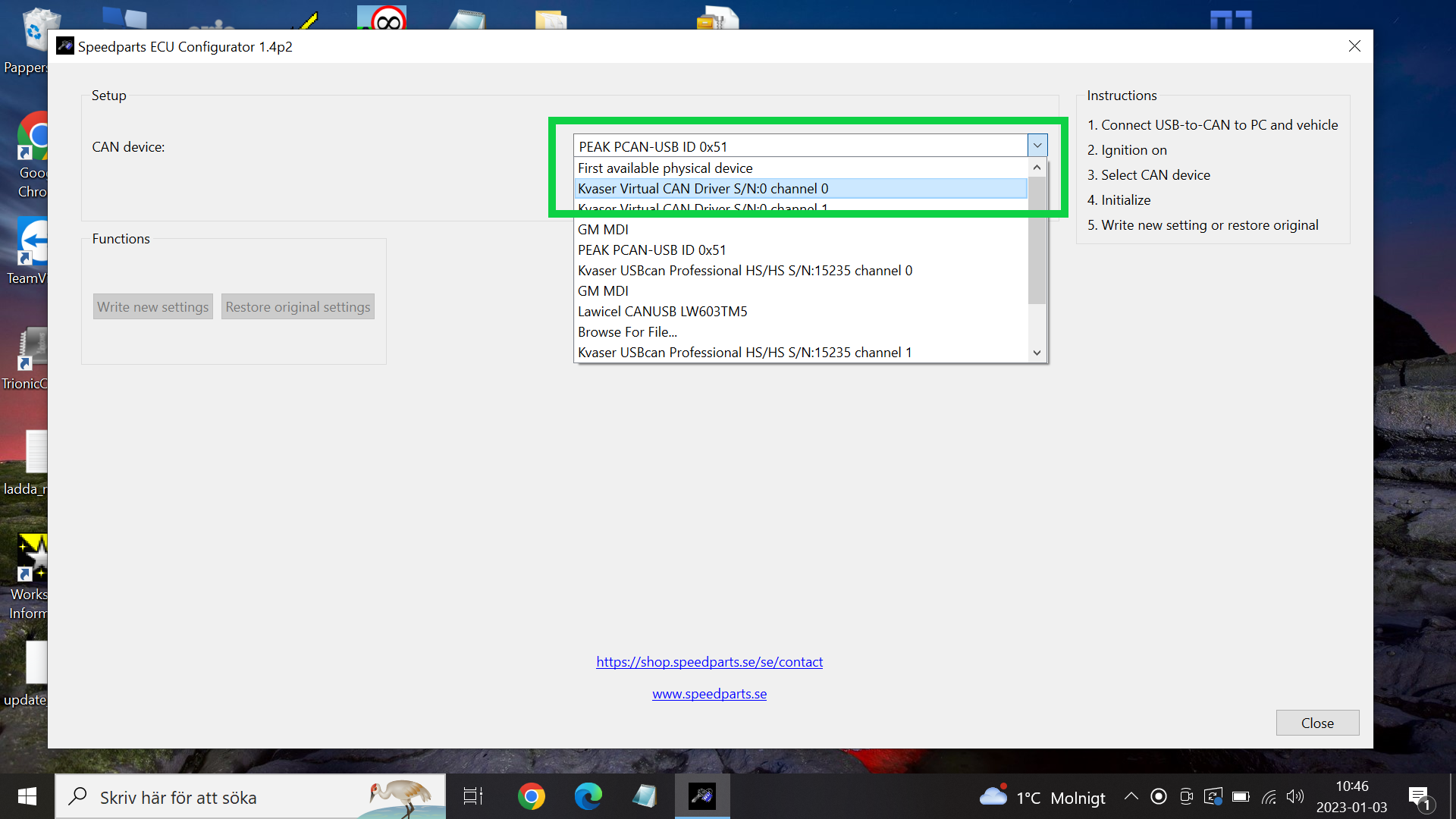
3. Then press ”Intialize”.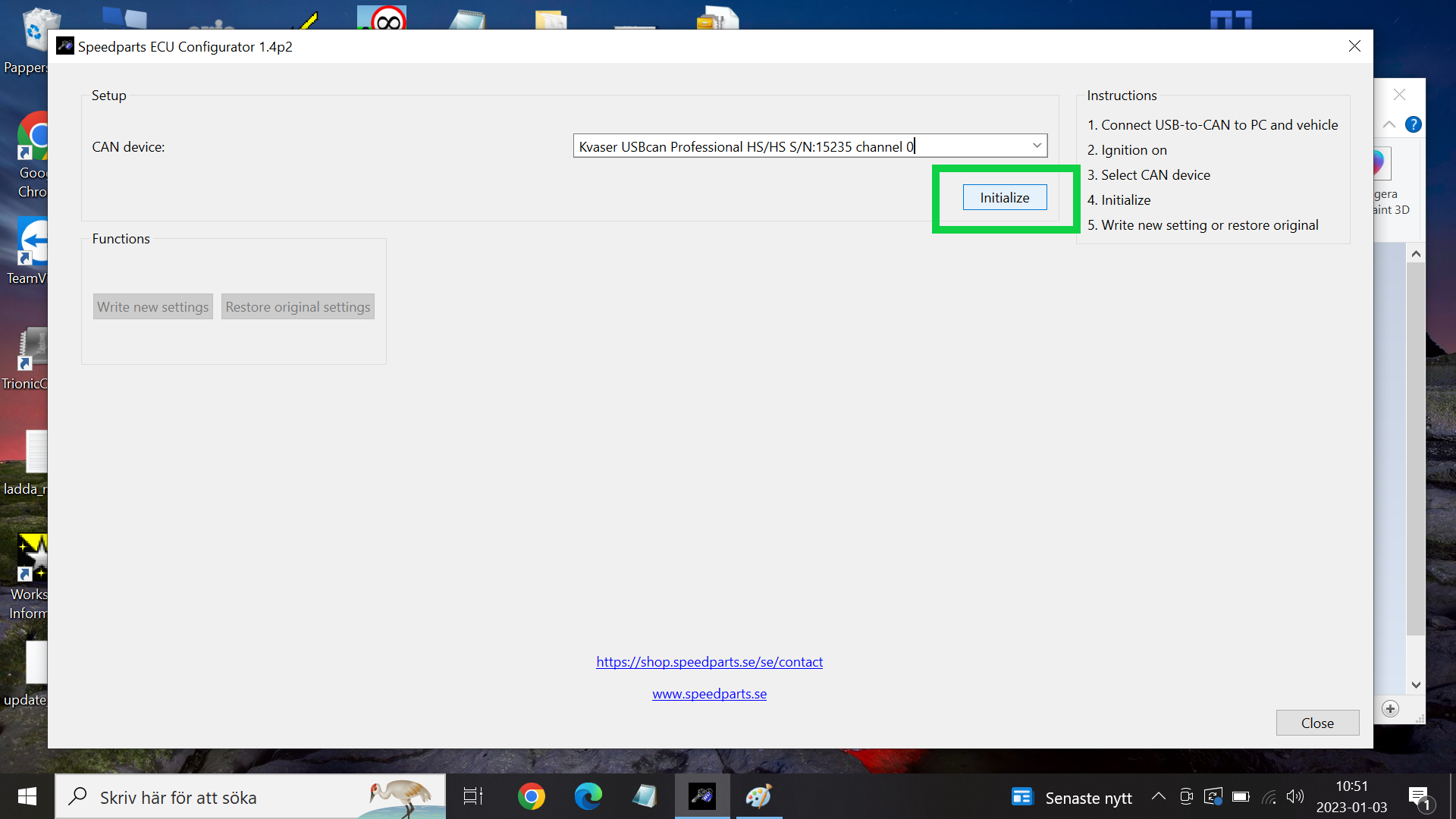
4. Choose the file you received on email from your order,
all files are coded to the chassis number given in the order.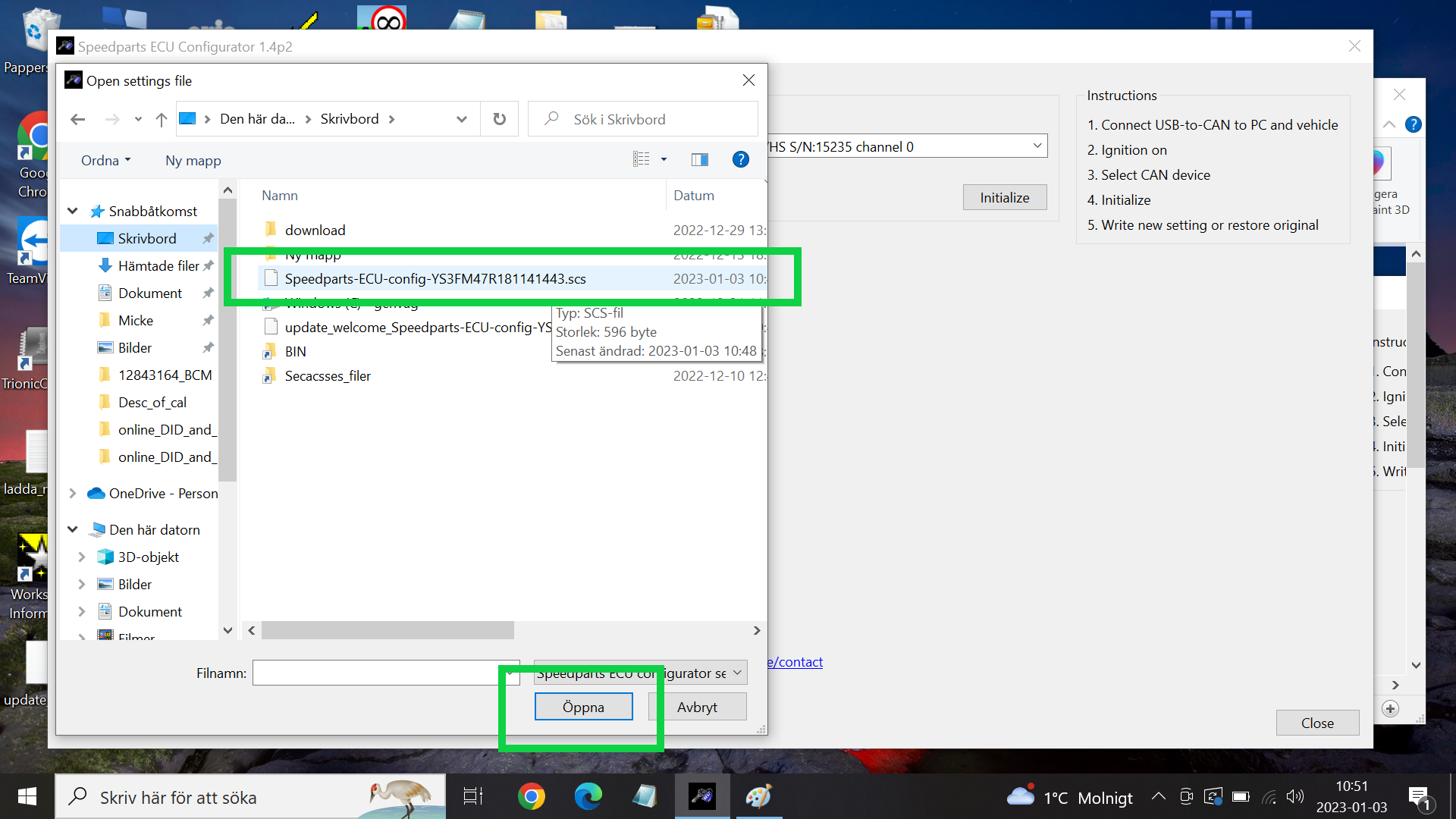
5. Press ”Write new settings” when it´s clickable.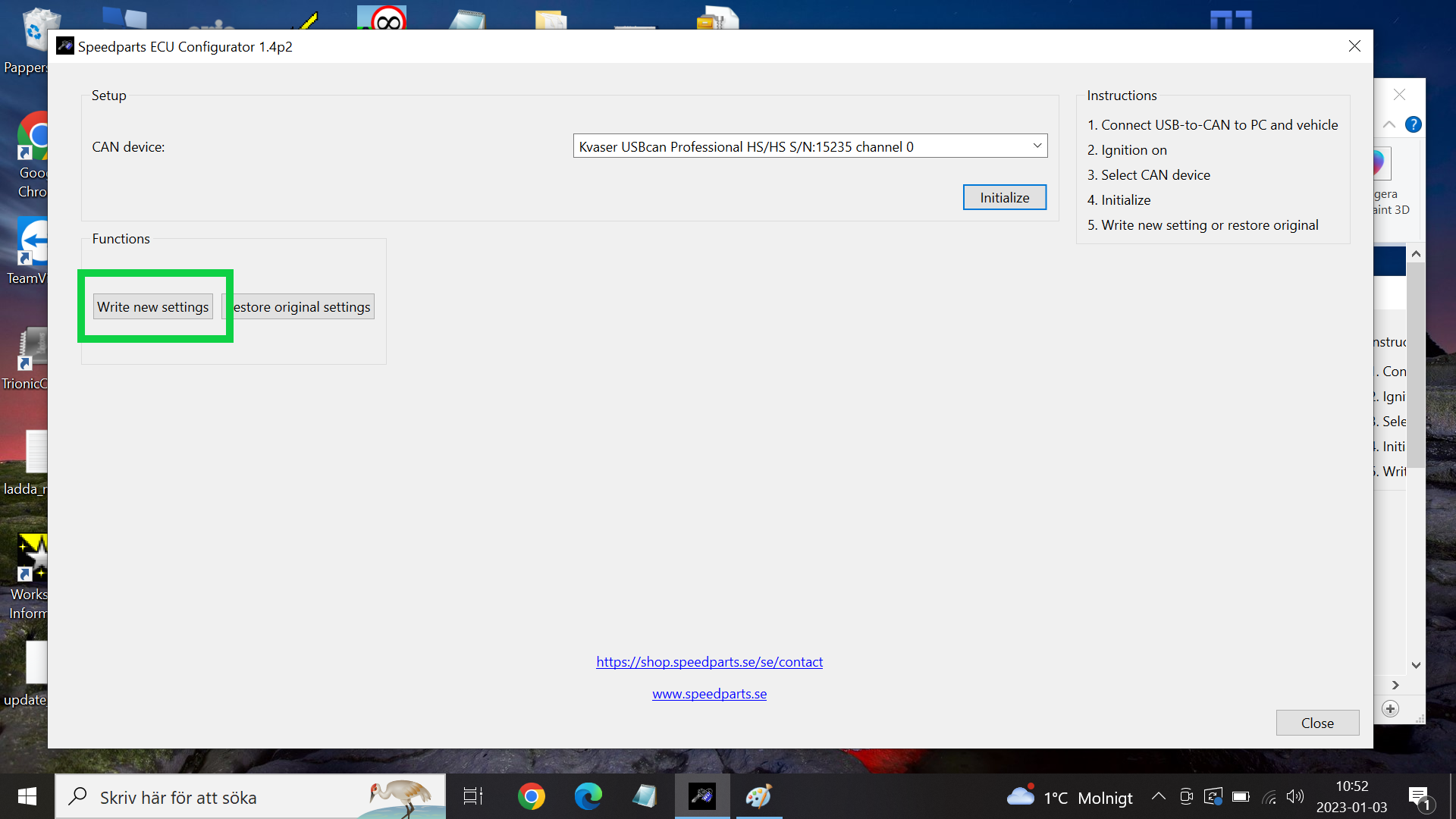
6. First the program will read out your original data and save it
so you can return to your original settings when ever you want.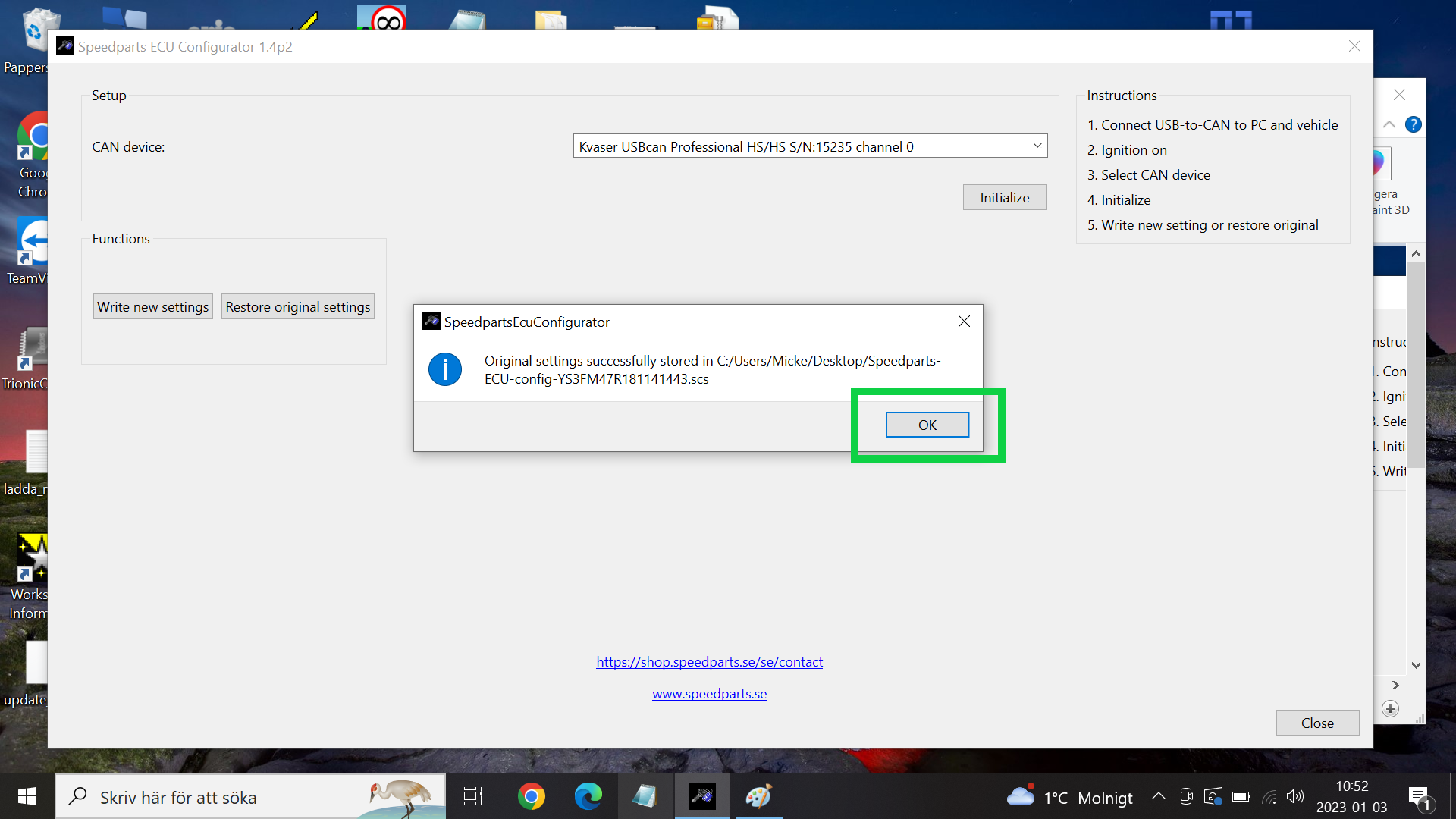
7. Writing to ECU only take a few seconds and when it´s done you will see
“ECU updated with new settings”.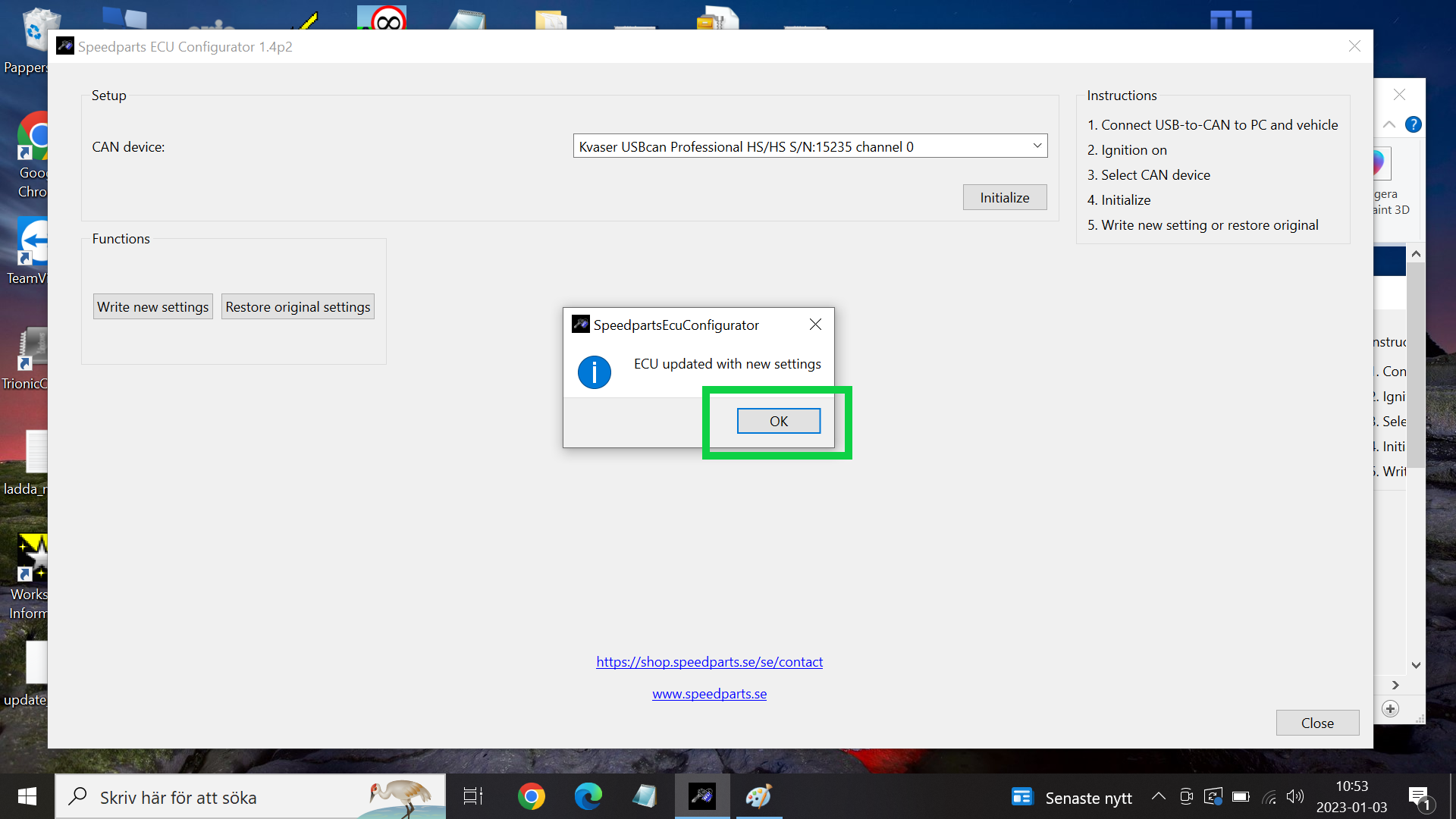
8. Your car is now updated with the functions you have purchased.